
A video call that freezes in the back bedroom, a smart TV that drops out after dinner, or an EFTPOS terminal that struggles near the counter usually points to one thing: WiFi coverage. When comparing WiFi extender vs mesh WiFi, the right choice depends less on the biggest number on the box and more on your building, internet use and where the weak spots are.
For a small Caboolture unit, a simple extender may be all that is needed. For a larger Moreton Bay home, a home office at one end of the house, or a business with customers and staff online at once, a mesh system can be the more reliable long-term answer. Here is how the two options work in plain English.
WiFi extender vs mesh WiFi: the main difference
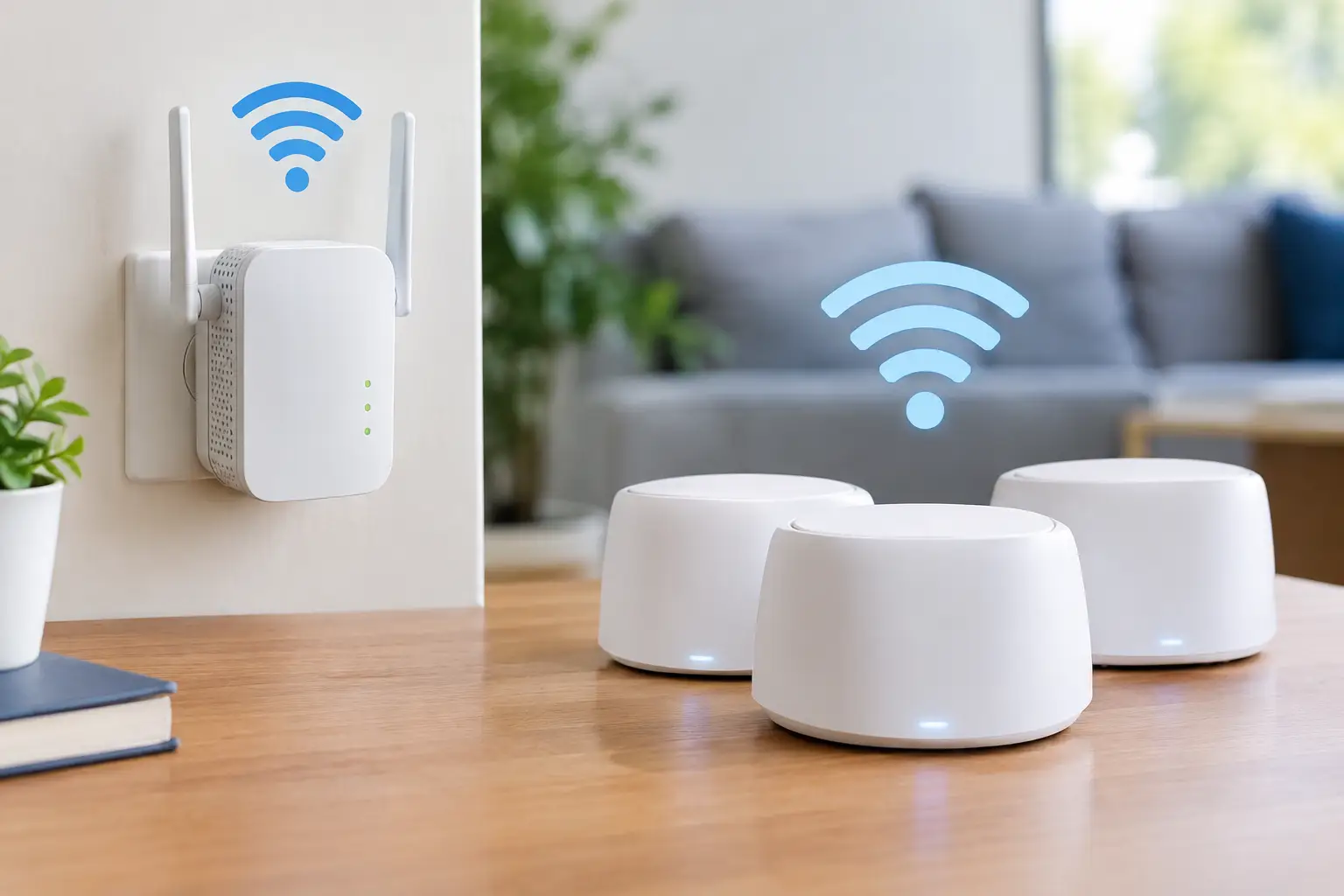
A WiFi extender, also called a range extender or repeater, takes the existing WiFi signal from your modem or router and broadcasts it further. It is generally a single, lower-cost device placed between the router and the room with poor coverage.
Mesh WiFi uses two or more connected units, known as nodes. One connects to your internet service, while the others are positioned around the home or workplace to create one broader WiFi network. Your mobile, laptop or tablet can move between nodes without you needing to manually select another network.
Both can improve coverage. The difference is in how consistently they do it, how well they cope with several devices, and how easy they are to expand later.
When a WiFi extender makes sense
An extender is often a sensible solution when the problem is limited to one nearby room. Perhaps the main router is in the lounge room and the study at the other end of a modest single-storey house has a weak signal. If the extender can still receive a good signal from the router, it can pass that connection along to the study.
It is usually the more affordable option and can be quick to install. For light internet use such as emails, web browsing, social media, occasional streaming and connecting a printer, a quality extender may do the job well.
The key is placement. An extender cannot create a strong signal from a location where the WiFi is already poor. It needs to sit roughly halfway between the router and the dead zone, where it still receives a reliable connection. Plugging it into the farthest bedroom or garage often leads to disappointment because it is repeating a weak signal.
Extenders do have limitations. Many models use the same wireless connection to talk to the router and to serve your devices. This can reduce available speed, particularly when streaming, gaming, working from home or transferring large files. Some also create a separate network name, such as “HomeWiFi_EXT”, which may mean devices do not automatically switch to the strongest connection as you walk through the house.
That does not make extenders a bad product. It simply means they are best suited to a contained coverage issue rather than a whole-home network problem.
Why mesh WiFi is better for wider coverage
Mesh WiFi is designed for homes and small businesses where one router cannot cover the full space properly. This can include double-storey homes, long brick houses, properties with multiple living areas, offices with partitions, or buildings where the NBN connection enters at an awkward end of the property.
Instead of stretching one signal as far as possible, mesh nodes share the load across the premises. A properly planned system provides more even coverage, fewer dropouts and a single network name. That last point matters more than it may seem. You can start a call in a front office, walk to the storeroom or back patio, and your mobile should remain connected without intervention.
Mesh systems are also generally easier to grow. If a new office is added, or you discover a weak area after moving furniture around, another compatible node can often be added. Many systems offer straightforward app-based controls for guest WiFi, parental controls, device checks and basic network settings.
For busy households, mesh is particularly useful where several people are online at once. It will not increase the speed of your NBN plan, but it can distribute the connection more effectively around the building. If you pay for fast internet but only receive a fraction of that speed in certain rooms, a mesh system may help you get more value from the service you already have.
Wired mesh can be even stronger
The best mesh setups use a wired connection between nodes where practical. This is sometimes called wired backhaul. Rather than relying on WiFi for every link, data travels through Ethernet cabling between the main router and satellite nodes.
Wired mesh is especially worthwhile for a small business, a home with thick walls, or a property where reliable video calls and cloud access are essential. It can also be a good option when renovating, building, or setting up a dedicated home office. Not every property needs cabling, but it can make a noticeable difference to speed and stability.
Cost is not the only comparison
A WiFi extender is usually cheaper upfront. If one device fixes one annoying dead zone, it can be excellent value. Mesh systems cost more because you are purchasing multiple units and, in some cases, paying for higher-capacity hardware.
However, replacing a cheap extender twice, or buying several extenders that still leave unreliable patches, can become a false economy. For homes and businesses that depend on consistent coverage each day, it is worth considering the time lost to dropouts, slow uploads and devices constantly reconnecting.
It also pays to check the age of your router. An older modem/router supplied years ago by an internet provider may be the real bottleneck. Installing a new mesh system behind an outdated or poorly configured device can improve coverage, but may not solve every speed or reliability problem.
Building materials and layout matter
WiFi does not travel through every building material equally. Brick walls, concrete slabs, foil insulation, metal roofing, mirrors, aquariums and large appliances can all weaken a signal. A router tucked inside a cabinet, placed on the floor, or hidden behind a television can also limit coverage before the signal has a chance to reach the rest of the building.
This is common in Queensland homes where the NBN connection point may be installed in one corner of the house, while the office, bedrooms or outdoor entertaining area are a long way away. A mesh node placed thoughtfully can work around these obstacles far more effectively than simply choosing a more expensive router.
For a detached shed, granny flat or separate office, the answer may not be either an extender or standard mesh WiFi. The distance, walls and electrical interference may call for a wired connection, a dedicated point-to-point wireless link, or professionally selected outdoor equipment. This is one area where a quick on-site assessment can avoid wasted money.
Choosing the right option for your needs
Choose a WiFi extender when you have a small home or office, a single weak room, and modest internet use. It is also a practical choice for renters who want a simple, low-cost improvement without changing their whole network.
Choose mesh WiFi when coverage problems occur in several places, your home is large or multi-storey, or many devices are connected at the same time. It is usually the stronger choice for home offices, smart-home devices, security cameras, regular streaming, and small businesses that need staff and customer devices online reliably.
Before buying either, test the basics. Stand near the router and run a speed test, then repeat it in the problem room. If speeds are poor everywhere, the issue may be your NBN service, router, cabling or internet plan. If speeds are strong near the router but poor elsewhere, coverage is the likely problem.
Also consider where devices are used, not just where the router sits. A network should be planned around the home office desk, reception area, bedrooms, workshop or outdoor space where you actually need a reliable connection.
Setup can make or break the result
Even good WiFi equipment can perform poorly when it is installed in the wrong location or configured with default settings that do not suit the property. Node placement, channel settings, modem compatibility and security settings all matter. Businesses also need to think about a separate guest network and keeping work devices protected from visitor access.
AllTec Computer Services can assess WiFi problems on site across Caboolture, Morayfield, Woodford, Wamuran and surrounding areas, then recommend a practical setup rather than a one-size-fits-all product. That may be a simple extender, a properly positioned mesh system, or a different networking approach altogether.
The best WiFi upgrade is the one that makes your internet feel dependable where you need it most, without paying for equipment your home or business will never use.