
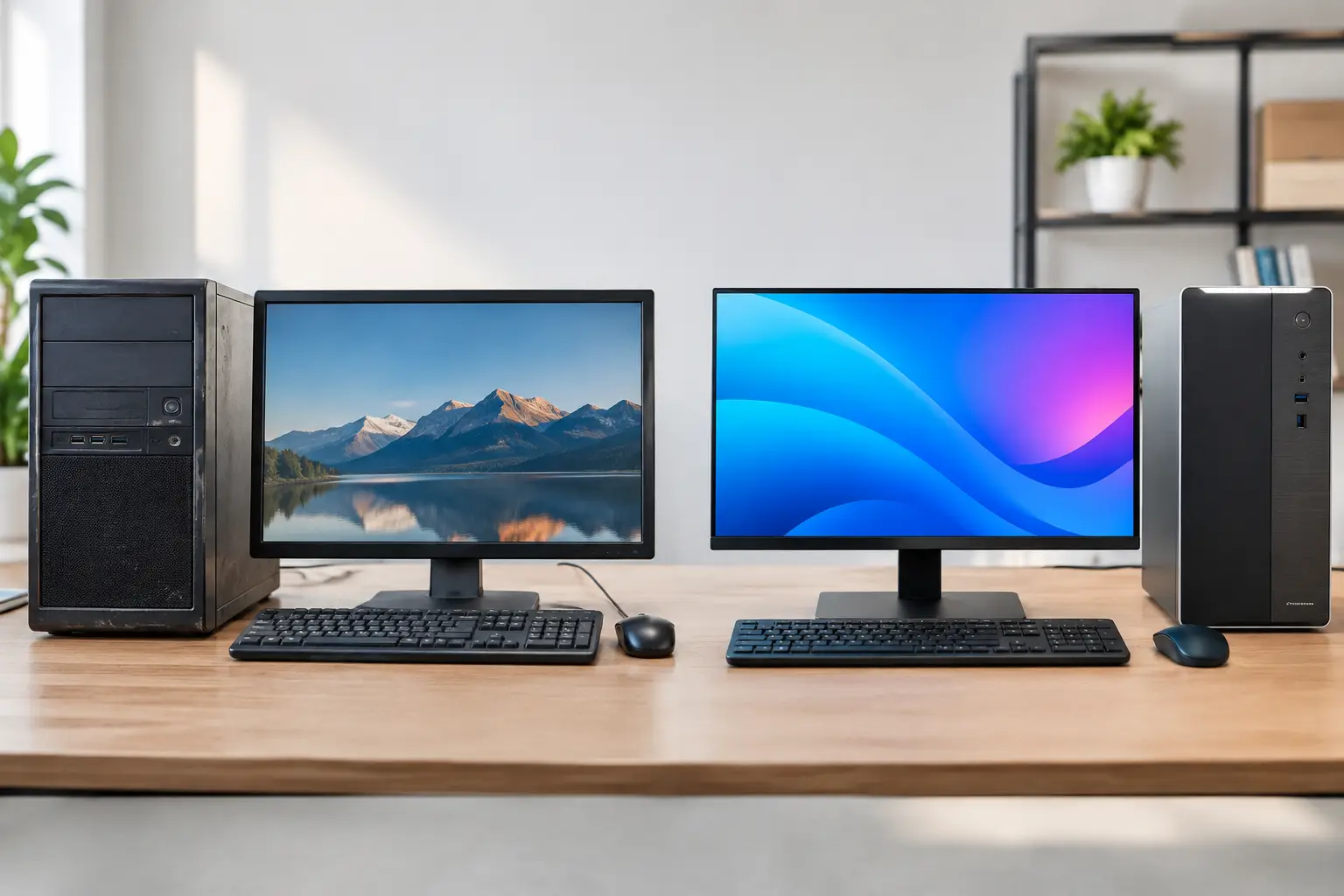
A slow or unreliable computer can make simple jobs frustrating, whether you are managing family photos, working from a home office or running a small business. When weighing up a refurbished desktop versus new desktop, the best choice is not always the newest machine on the shelf. It comes down to what you need it to do, how long you need it to last and where your budget is best spent.
For many homes and businesses around Caboolture, Morayfield and Moreton Bay, a properly refurbished desktop offers excellent value. For others, particularly those using demanding software or planning for several years of growth, a new desktop is the more sensible investment. The key is buying for your real workload, not just the price tag or a list of specifications.
What a refurbished desktop should mean
A refurbished desktop is not simply an old computer that has been wiped and sold again. A quality refurbished machine has been inspected, tested and prepared for its next owner. Depending on the supplier, this can include cleaning the system, checking hardware, replacing worn components, installing a fresh operating system and ensuring it is ready for everyday use.
Many refurbished business-grade desktops started life in offices. They are often built more solidly than entry-level consumer computers and can be very capable once fitted with a fast solid-state drive, sufficient memory and a supported version of Windows.
The condition and preparation matter more than the label. Ask what has been tested, whether the desktop has an SSD, how much RAM it includes, which version of Windows is installed and what warranty or support is provided. A cheap second-hand computer with no checks or after-sales help is not the same as a professionally refurbished system.
Refurbished desktop versus new desktop: the main differences
The biggest difference is usually upfront cost. A refurbished desktop can provide the performance needed for email, web browsing, online banking, documents, video calls, accounting programs and general office work for considerably less than a comparable new machine. That can free up budget for a larger monitor, backup storage, software or professional setup.
A new desktop costs more, but it gives you the latest hardware, a full manufacturer warranty and the longest expected useful life. It may also offer newer connections, better graphics options and improved efficiency. If your computer runs all day, those benefits can matter over time.
Neither option is automatically better. A refurbished desktop can be the smarter purchase for a household replacing an ageing PC, a student needing a reliable study computer or a small business setting up an additional workstation. A new desktop may be the right call for graphic design, video editing, engineering software, gaming, large spreadsheets or specialised business programs that need modern processing power.
Performance depends on the job
For everyday tasks, a well-configured refurbished desktop can feel quick and responsive. An SSD makes a major difference to start-up times and opening programs, while adequate RAM helps when several browser tabs and applications are open at once. For standard home and office use, these upgrades often matter more than having the newest processor.
However, older processors have limits. If you regularly edit high-resolution video, work with large design files, use virtual machines or need advanced graphics, a new system will generally provide better speed and a more comfortable working experience. Buying a computer that is already close to its limits can become a false economy.
It is also worth considering how your needs may change. A basic home computer may remain suitable for years. A growing business that expects more staff, more cloud applications or more demanding software may benefit from starting with a newer, more expandable desktop.
Windows 11 compatibility matters
Operating system support is a practical consideration, not a minor technical detail. Windows 10 support ended in October 2025, so a desktop should be capable of running Windows 11 properly. A computer that cannot meet Windows 11 requirements may still switch on and run older software, but it is not a sensible long-term choice for most people, especially where online banking, customer details or business information are involved.
Before purchasing refurbished equipment, confirm that Windows 11 is installed and activated, and that the hardware is officially compatible. This helps you receive current security updates and avoids being forced into another replacement sooner than expected.
When refurbished makes good sense
A refurbished desktop is often a practical fit when the goal is dependable computing without paying for power you will never use. It suits people replacing a failed family computer, setting up a basic office desk, accessing email and government services, managing invoices or using common programs such as Microsoft 365.
It can also be a sensible option for a second computer. Perhaps you need a machine in a spare room for printing, a point-of-sale desk, reception, schoolwork or remote access. In these cases, a professionally prepared refurbished desktop may deliver everything required at a better price.
There is an environmental benefit too. Extending the useful life of quality equipment keeps functional hardware out of rubbish and reduces the need for unnecessary new manufacturing. That benefit only counts when the machine remains reliable, secure and suitable for the work ahead.
When a new desktop is worth the extra cost
Choose a new desktop when reliability is critical and downtime would cost you time, customers or income. This is especially relevant for businesses with one essential computer, people who rely on demanding applications or anyone wanting the longest possible lifespan from a purchase.
New systems are also a better option when you need specific features that older models may not provide, such as faster networking, multiple modern display outputs, dedicated graphics, more storage capacity or stronger future upgrade options. A new custom-built desktop can be matched to the software you use rather than forcing you to compromise.
The warranty is another genuine advantage. While refurbished desktops can come with a warranty, a new machine usually has broader coverage and newer components throughout. For a business owner who cannot afford interruptions, that extra certainty can justify the higher initial spend.
Do not compare price alone
The cheapest computer is rarely the best value if it needs upgrades straight away or cannot run the programs you rely on. Compare the full setup: processor generation, RAM, SSD capacity, Windows 11 compatibility, monitor requirements, warranty and the cost of transferring your files and setting up email, printers and security software.
A desktop that looks inexpensive can become costly if you need a new monitor, wireless adapter, keyboard, software licence and data transfer on top. On the other hand, a refurbished business desktop with an SSD and enough RAM may be ready to work from day one and leave room in the budget for proper backup and protection.
For small businesses, consider the cost of downtime as well. Saving a few hundred dollars is not helpful if an unsuitable computer slows staff down, struggles with your accounting software or fails during a busy week.
Getting the right advice before you buy
The right desktop starts with a few clear questions. What programs do you use every day? How many years do you want the computer to serve you? Do you need to connect printers, scanners, multiple screens or specialised equipment? Is the computer for basic use, or does it support your livelihood?
A local technician can assess your existing setup and explain the options in plain English. AllTec Computer Services can help match a new or refurbished desktop to your needs, then assist with file transfers, software installation, email, printers and network connection at your home or workplace. That support can make the changeover far less stressful, particularly if your old computer is failing.
A refurbished desktop is a strong choice when it has been properly prepared and suits the work you do. A new desktop is worthwhile when you need more power, longer life or greater certainty. Choose the computer that gives you reliable day-to-day use, not the one with the most impressive-looking specifications.